Showing posts with label Android. Show all posts

Wednesday, November 28, 2012

Top Android apps of 2012


2012 has been a good year for Android. The Galaxy S III has been a sales behemoth, the Nexus 7 proved that Android tablets can sell too, and there have been plenty of great new apps. As 2012 comes to a close, let's take a look at the year's top Android apps and games.

Google Chrome

Chrome for Android is easily one of the best browsers on the platform
Google's heralded desktop browser made its mobile debut this year. It lives up to the hype. Speedy and simple, the free Chrome is miles ahead of the old stock Android browser.
Play Store: Chrome (free)

Google Drive

Google Drive lets you store and edit a variety of files and documents
More than just a Dropbox rival, Google Drive is a cloud locker and basic word processor rolled into one. Store up to 5 GB of files for free, and edit your docs on the go. If you're invested in the Android ecosystem, Drive is essential.
Play Store: Drive (free)

Google Now

Google Now is more than just a Siri rival
We're cheating a bit here, as Google Now isn't available as a standalone app. But any device running Android 4.1 or higher gets the next generation of Google search, known as Google Now.
In many ways, Google Now surpasses iOS' Siri. It skips the spunky personality, and simply delivers relevant information ... even before you ask for it. At the subway station? Now will show you what trains are coming. Merging onto the highway? Now gives you traffic. Voice searches are also returned much quicker than Siri.
If you're comfortable with much of your life being uploaded to Google's servers (chances are, it is anyway), Now can be a personal assistant that actually helps.
Play Store: N/A

1Weather

1Weather is the most attractive weather app on Android
OneLouder Apps released the most beautiful weather app for Android this year, called 1Weather. It gives you all the weather info you'd need with an attractive design that we'd like to see more of on Android.
If you want to fully appreciate the gorgeous app, you can pay an extra US$1.99 for the Pro version.
Play Store: 1Weather (free)

Instagram

Instagram made the leap to Android in 2012
The former iOS-exclusive Instagram made its way to Android this year. The Facebook-owned app lets you snap pics with a variety of filters, and quickly upload them to your favorite social networks.
Play Store: Instagram (free)

OnLive Desktop

OnLive Desktop lets you run a cloud version of Windows on your Android tablet
OnLive Desktop gives your Android tablet a touch-friendly, cloud version of Microsoft Windows. The only catch is that you'll need a persistent internet connection.
The free OnLive Desktop account offers basic Windows access, including Office and Adobe Reader. The premium Desktop Plus adds Internet Explorer (including Flash) at Gigabit speeds for US$4.99 per month.
Play Store: OnLive Desktop (free)

Solid Explorer Beta

Though still in beta, Solid Explorer is a terrific file management app
Who knew file navigation had room for improvement? With multi-panel viewing, drag-and-drop, and support for rooted devices, Solid Explorer ups the ante for Android file management.
Play Store: Solid Explorer Beta (free)

Flipboard

iOS classic Flipboard is now available on Android
A slew of formerly iOS-exclusive reading apps hit the Play Store this year. At the front of that pack is Flipboard.
Flipboard presents news in an attractive and responsive magazine-style layout. You can link to your Google Reader account or browse the plethora of curated Flipboard channels.
Play Store: Flipboard (free)

Instapaper, Pocket, Readability

Instapaper, Pocket, and Readability all give you clutter-free views of news articles
Instapaper, Pocket, and Readability let you store news articles to read later. They're more than bookmark services, though, as they present articles in clean, text-and-image only views.
All three offer nearly identical feature sets, so you may want to experiment to find your favorite. No tablet is complete without one of them.
Play Store: Instapaper ($2.99), Pocket (free), Readability (free)

TabletSMS

Want to send and receive texts on your tablet - using your real phone number? Look at Tabl...
If you're lounging on the couch with your Nexus 7, you probably don't want to grab your phone every time you send a text message. TabletSMS lets you send and receive texts from your tablet – all using your phone number.
Play Store: TabletSMS (free)

Turntable.fm

Collaborate on a virtual dance party with Turntable.fm
Turntable.fm lets you collaborate with friends and strangers on a live setlist. Queue up your favorite jams, and vote others' selections up or down.
Play Store: Turntable.fm (free)

Wave Control

Wave Control lets you live out your Jedi fantasies every time you change songs (hand image...
Practice your Jedi powers and control your phone with a wave of the hand. Wave Control lets you play or skip songs without touching your screen. It doesn't always work seamlessly, but it's a great tool nonetheless.
Play Store: Wave Control (free), Wave Control Pro ($2.99)

Firefox

Firefox took a huge step forward in 2012, to provide another great browser option
Firefox's Android browser stayed in beta for years, and lagged far behind its competition. That changed this year when Mozilla released Firefox for Android. It emphasizes speed, an overhauled user interface, and customizable add-ons. It even adds an Instapaper-like "Reader mode," that de-clutters articles for simple viewing.
Play Store: Firefox for Android (free)

Magisto - Magical Video Editor

Magisto edits your movies for you
Magisto is the lazy person's video editing app. Add video clips, and Magisto will analyze and compile them into a movie, complete with soundtrack. It even lowers the music volume when people are speaking. It isn't perfect, but it's as artistic as a computer can be right now.
Play Store: Magisto (free)

Swiftkey 3

SwiftKey 3 was a huge release, taking the keyboard's predictive performance to the next le...
Swiftkey has been one of Android's best keyboards for years, but 2012 saw the release of Swiftkey 3. It marks a big step forward, with better error correction and "Smart Space," which inserts missing spaces in blocks of text.
Also keep an eye out for the upcoming Swiftkey Flow, a Swype-like trace keyboard with Swiftkey's predictive text.
Play Store: Swiftkey 3 ($1.99), Swiftkey 3 Tablet ($1.99)

Temple Run

Temple Run is addictive arcade fun
The iOS classic Temple Run came to Android in 2012. Snag an idol and run, jump, and slide from the crazy apes in hot pursuit. It's addictive, endless running arcade fun at its finest.
Play Store: Temple Run (free)

Dead Trigger

Get ready for some zombie-slaying with the free Dead Trigger
Android wouldn't be a legit gaming platform if it didn't have at least one good first-person zombie shooter. Dead Trigger gives you just that, for the unbeatable price of free.
Play Store: Dead Trigger (free)

Horn

Even if it's a bit repetitive, Horn is one of the most enchanting mobile games we've playe...
One of the breakthrough mobile games of 2012, Horn is a Zelda-inspired action puzzler. Its striking visuals and console-like gameplay will keep you entertained for hours.
Play Store: Horn ($6.99)

Angry Birds SpaceAngry Birds Star Wars

Rovio is going to ride the
In 2012, Rovio's Angry Birds franchise continued its quest for world domination. The two latest entries, Angry Birds Space and Angry Birds Star Wars, brought some refreshing innovation (and a shameless tie-in) to the formulaic series. Don't knock anti-gravity bird-flinging until you've tried it.
Play Store: Angry Birds Space HD ($.99), Angry Birds Star Wars HD ($2.99)

N.O.V.A. 3

If you don't care about originality, Gameloft's N.O.V.A. 3 is one of the best mobile shoot...
Until Microsoft brings H.A.L.O. to Android (fat chance), Gameloft's copycatN.O.V.A. franchise is as close as you'll get. Despite its cringe-inducing voice acting and lack of originality, N.O.V.A. 3 provides terrific visuals and hours of entertaining gameplay.
Play Store: N.O.V.A. 3 ($6.99)

Monday, February 27, 2012

Samsung shows off latest Galaxy Beam projector phone

Samsung has officially unveiled an updated version of the Galaxy Beam, a smartphone with its own built-in pico projector. The biggest feature of the phone as you might guess is its ability to project pictures, video, and other media onto walls, ceilings or any other flat surface via a 15 lumens projector that Samsung says can display images up to 50-inches wide.


Samsung originally showed off the Galaxy Beam at Mobile World Congress in 2010. At the time, the Android handset was only slated to make an appearance in Singapore. This year's announcement brings an updated version of the handset sporting Android 2.3 Gingerbread, and while release details have yet to be announced, the phone will likely be available in a few additional countries.
The 2010 version of the Beam came running Android v2.1, had a 3.7-inch screen, and a 9 lumens projector. The updated 2012 version shown off at Mobile World Congress 2011 comes running Android v2.3, has a 4-inch screen, and comes rocking a much more powerful 15 lumens projector.

The projector is the stand-out feature of the phone. Beyond that, you're looking at your standard run-of-the-mill Android handset. The phone has a 5-megapixel built-in camera, and has a 1GHz dual-core processor, 8GB of internal memory, and a 2000mAh battery.
Samsung has yet to announce pricing or availability for the 2012 Galaxy Beam.

Friday, February 24, 2012

Google glasses coming to stores this year?


A number of anonymous Google employees are reporting that the company is currently developing Android-powered glasses that can provide a heads-up display to the wearer and connect over wireless data services. The glasses will purportedly work like a wearable version of theGoogle Goggles app, providing real time information on a user's location via GPS and motion sensors. Even more surprising, the same sources are saying these "Google glasses" could be available to the public by the end of this year.
The Google glasses have apparently been in production for quite some time at Google's secretive Project X lab, where the company designs its more outlandish projects, such as robots, space elevators, and the like. Anonymous employees have indicated that this is strictly an experimental program from Google, though it may look into future business applications depending on how successful the product is.
Aside from a few buttons on the side, the glasses are said to resemble a regular pair of eyeglasses with a design similar to the Oakley Thumps(pictured below). The glasses will feature a low-resolution camera on the front for gathering information to relay to a small screen built into one side of the lenses. The screen will not be transparent, but will be located to the side of the frame, so as not to obscure a person's view but still give an augmented reality feel. The camera will also be able to take pictures, and have a built-in flash.
Using either WiFi or a 3G/4G connections, the device will tap into Google's cloud and relay information to the user on their environment, including locations or friends nearby and objects that they look at. The glasses will also work as a smartphone, allowing users to make calls, use certain apps, and connect with friends.
Actually controlling the glasses will be a bit unique, as reading through information on the display will require a user to tilt their head to scroll and click. Sources at Google have noted that this function is actually a lot easier to use than it sounds, and will not be noticeable to others.
Unnamed employees told the New York Times that the new Google glasses are expected to be priced much like a current smartphone (in the US$250 to $600 range) and are aimed for a 2012 release date.

Tuesday, February 14, 2012

LG Optimus 3D 2 leaked ahead of launch?


LG showed off its first 3D phone, the Optimus 3Dat MWC last year and it looks like it’ll be doing the same thing this year again. An image and some details of the phone have surfaced today, revealing the phone ahead of its purported launch date. The LG Optimus 3D 2 is said to have a higher resolution IPS display (most probably the HD AH-IPS display on the LG Optimus LTE), and is said to be slimmer at 9.8mm and 20g lighter than its predecessor; and of course, glasses-free 3D capability. If you’re keen on finding out more, stick around until the end of the month, where we’ll be at MWC 2012 and to keep you updated on whether the leaked specs turn out to be true.
What do you think of the Optimus 3D? Does LG need to release another 3D phone?

Wednesday, January 11, 2012

Huawei Ascend P1 S : world’s thinnest smartphone


When it comes to smartphones, people can argue about the relative merits of a bigger display that is easier on the eyes and fingers or a smaller display that results in a more pocket-friendly unit. But whatever the length and width, it seems that the desire for a thinner smartphone is pretty much universal. And - for the time being anyway - they don't come any thinner than the Huawei Ascend P1 S that made its debut at CES this week. Measuring just 6.68 mm (0.26 in) thick, Huawei says although the Ascend PS 1 is the world's slimmest smartphone, it doesn't scrimp on the features.

Huawei's Ascend P1 comes in two flavors - the P1 and P1 S. Both offer the same features but where the slimline P1 S gets a 1,670 mAh battery, the P1 is a slightly thicker 7.69 mm (0.3 in) thanks to a 1,800 mAh battery. Aside from the battery, both models have the same specs, which includes a 4.3-inch 960 x 540 pixel Super AMOLED touch display, 1.5 GHz dual core TI OMAP 4460 Cortex A9 processor, 1GB of RAM, 4GB onboard memory, 5.1 surround sound capabilities, Wi-Fi, Bluetooth 3.0, DLNA support, 8-megapixel rear-facing camera with backlight illuminated sensor and 1080p HD video capture capabilities, and a front-facing 1.3-megapixel camera for video calls.
Both quad-band GSM phones will come running Android 4.0 (Ice Cream Sandwich) and feature a PPVD back cover coating designed to dissipate heat. They will come in metallic black, ceramic white and cherry-blossom pink when released in Europe, the Asia-Pacific, North America, Australia, the Middle East and China from April 2012, with additional colors also on the way. Huawei hasn't yet revealed pricing or potential carriers for the phones.

Tuesday, January 10, 2012

Wormhole Station connects Windows to Mac to Android to iOS


The PC and Mac advocates have been debating for years over which is superior, with good arguments on both sides; but a third, often overlooked camp exists: people who use both. If you're in that group, then you know how frustrating it can be to have the perks of both machines, but the downside of few easy options for sharing files or peripherals between the two. That's why tech manufacturer j5create has rolled out the Wormhole Switch and the Wormhole Station, which allow file transfers between PC, Mac, Android, and iOS, as well as keyboard and mouse sharing.

The Wormhole Switch may look like a simple USB cord, but actually allows files to be transferred between almost any computer or smart device at USB 2.0 speeds without the need for any extra software. It's as easy as dragging one file to another folder, and can even be used to share a keyboard, mouse, etc. between computers with different operating systems. There are a handful of different models with different functionality:
However the newest product from j5create and a CES 2012 Innovations Award Honoree is the Wormhole Station, which acts as a docking extension for any laptop by using a single USB port. Like the Wormhole Switch, the Station can easily transfer files and share peripherals between Mac, PC, Android, and iOS devices. Sharing a mouse even permits the cursor to pass back and forth between the monitors of separate computers. The compact attachment includes two USB 3.0 ports, which allow for data transfers at a rate of 5Gb/s, as well as slots for various flash memory cards. It's design also elevates a laptop connected to it, allowing for cooler airflow.
The Wormhole Station is available at retailers now for US$109.99.

Tuesday, November 22, 2011

Smartphones at 1cent (50 Paisa !!!!)


Amazon cuts top smartphone prices down to 1cent 
amazon-smartphone-sales


Amazon is holding a penny-pincher sale and has most smartphones (and regular phones) from AT&T, Verizon and Sprint  priced at $0.01 for a limited time. This obviously comes with a new contract and Amazon has said that the pricing is only valid for a limited time.
Among the top phones in the list, I have seen: the Droid RAZR, the Galaxy S2 Epic Touch 4G. the HTC Rezound, the Atrix 4G, and many more. If you’re not quite sure which one you want, you should start by reading our reviews, and drop a comment if you are still unsure. In any case, don’t worry if you can’t make up your mind, as another cooler, faster smartphone will come out a few weeks from now. The wonderful world of consumer electronics…

Wednesday, October 19, 2011

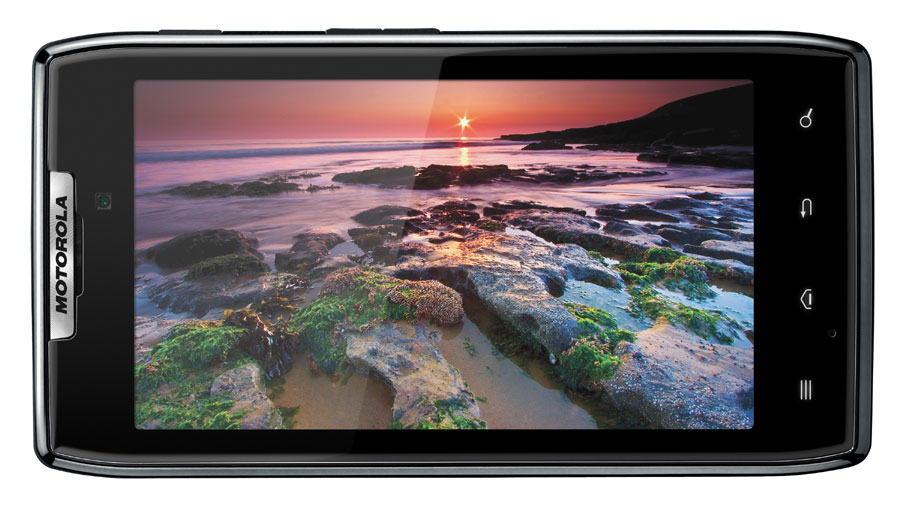
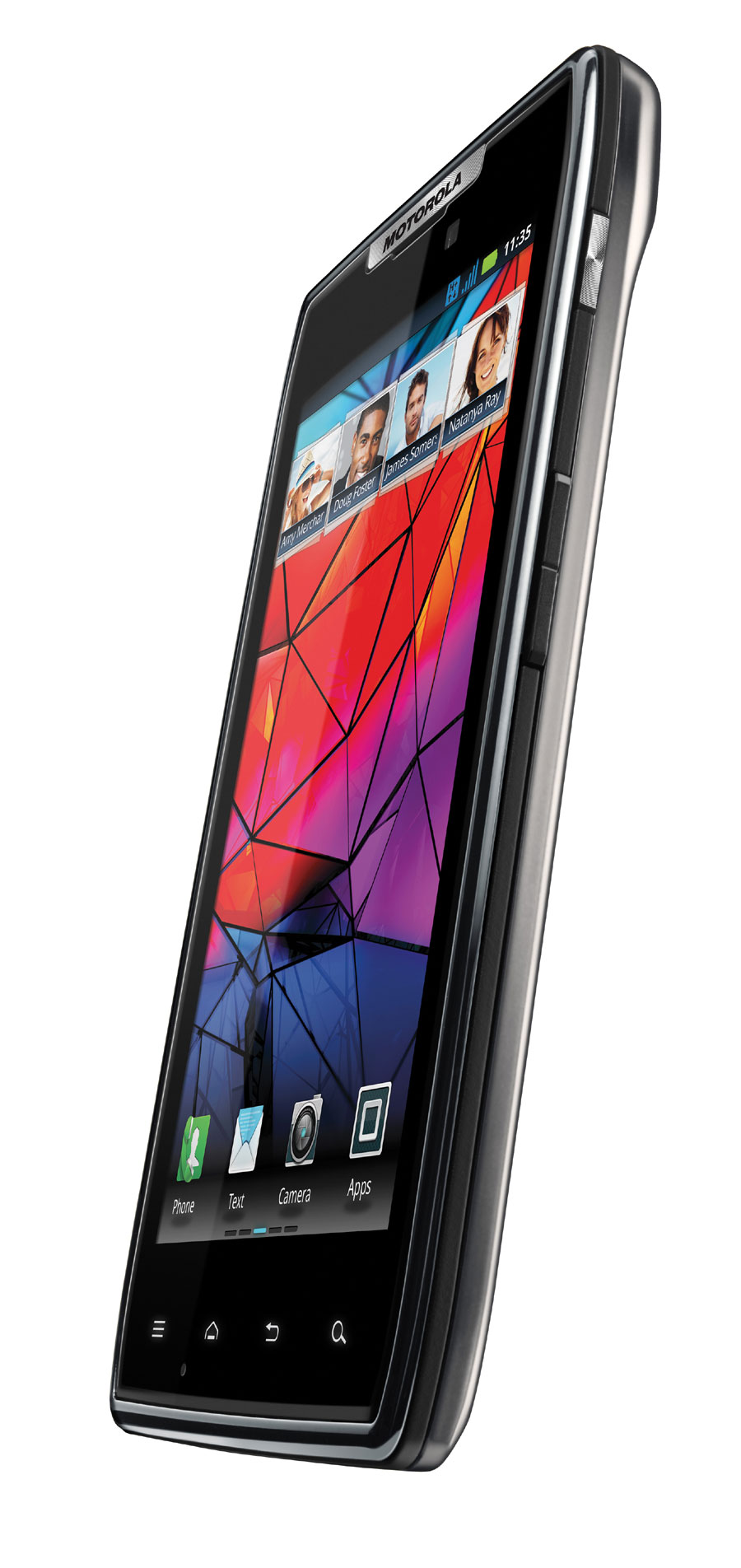
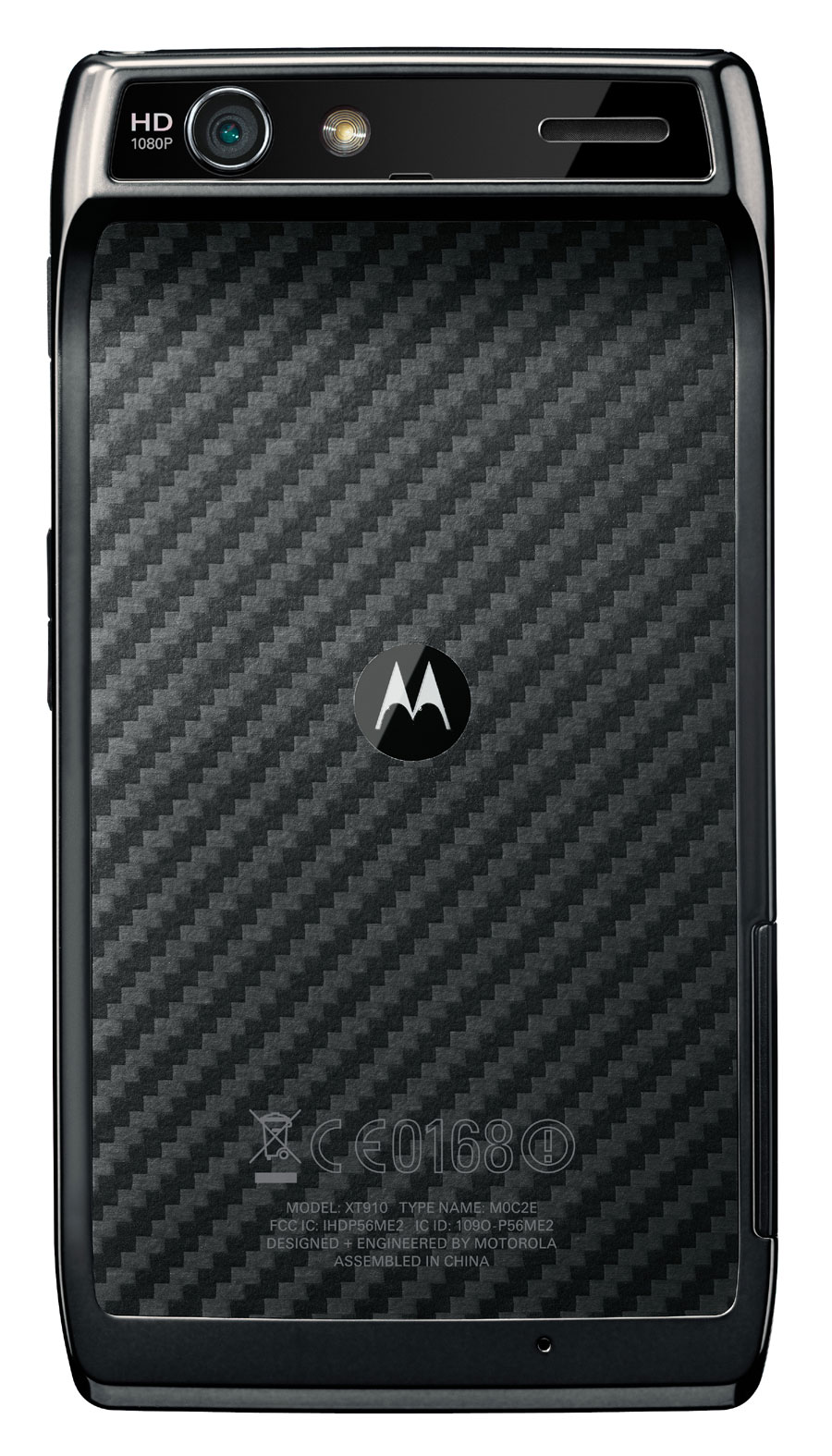
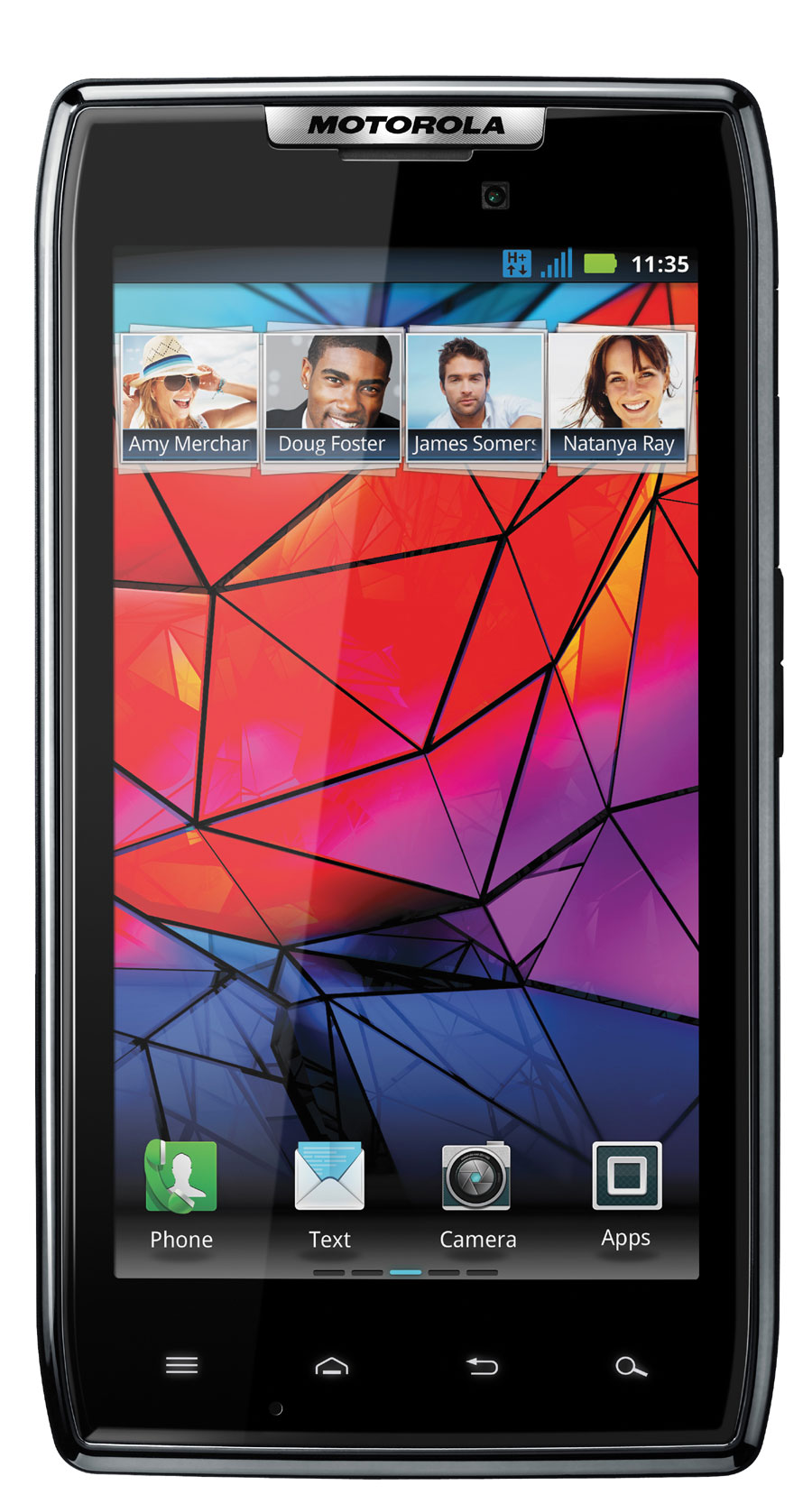
Droid RAZR: “Impossibly Thin”


Motorola DROID RAZR
Motorola has just announced the Droid RAZR, a phone that the company calls “impossibly thin“. At 7.1mm thin, at its thinnest point, Motorola calls it the world’s thinnest phone. It features a 1.2GHz dual-core processor, 1GB of RAM. Its display is a 4.3″ Super-AMOLED with Gorilla glass that can be used to watch HD movies from Netflix. Motorola says that it is the first device that can download HD movies from Netflix.

Key features:
  • 1.2GHz dual-core processor
  • 1GB of RAM
  • 4.3” Super AMOLED display with Gorilla glass
  • Android Gingerbread 2.3.5
  • Measuring 7.1mm at its thinnest point
  • Stainless steel and kevlar design
  • 4G LTE connectivity
  • Able to watch HD Netflix movies
  • Government-graded encryption of emails, contacts and calendars
  • Compatible with Motorola’s Lapdock 500 Pro/Lapdock 100

The internal design is made of stainless steel and Kevlar, which ensures rigidity but at the same time, it weighs only 127g, which is more than the Galaxy S2, but less than the iPhone 4.
But hardware is only one side of the story says Motorola. On the software side, Motorola says that it has optimized the software that will improve battery live, and of course, Webtop from Motorola transform this thin smartphone into a small Linux computer.
Motocast is a cloud service for Motorola. With Motocast, users can stream music, download files/documents, which is something that business users will appreciate according to Motorola.

Finally, this is the thinnest 4G LTE phone in the world right now. It is as simple as that. At the moment, the 4G LTE network from Verizon is the fastest 4G network in America, and earlier devices suffered from being bulkier and had short battery life. The Droid RAZR has already changed the physical design difference. Now, we’re excited to see how good the battery life is going to be!

Wednesday, October 12, 2011

Student-made tablet app may make dedicated Braille writers obsolete


Undergraduate student, Adam Duran, made excellent use of his time at Stanford University, where he attended a two-month summer course organized by the Army High-Performance Computing Research Center (AHPCRC). Together with his mentors, Adrian Lew and Sohan Dharmaraja, he created a potentially game changing application that should make the lives of visually impaired people both easier and less expensive. The application turns a tablet into a Braille writer and thus saves the blind from having to purchase a device that may cost up to ten times more than a tablet.
Some Braille notetakers are essentially specialized laptops with limited functionality that tend to come with a steep price tag, with some costing up to US$6,000. Although some attempts at writing a tablet application that would make dedicated devices obsolete had been made before, none produced a result that would match the user experience. Simply using the standard eight-key Braille keyboard layout doesn't do the trick. The biggest challenge is allowing a blind person to correctly position his or her fingers over the virtual keys on a completely smooth glass panel.
This problem could be easily overcome by an appropriate tactile feedback technology, or at least that is what Microsoft engineers seem to think. The Redmond based company has already filed an appropriate patent application for their still-to-be-developed tactile feedback technology that uses plastic cells sprayed with a flexible polymer. If Microsoft is to be believed, those pixel sized bits of plastic would be manipulated with UV light and would be used to convey a whole array of textures.
It all sounds great, but it's a bit to early to celebrate. Even if we live to see Microsoft bring this technology to fruition, it's difficult to say whether it is ever going to make its way into a portable tablet. The patent application clearly states that the technology is being developed for use in Microsoft Surface - a table-sized behemoth tablet used in corporate environments and public spaces.
Apps4Android Inc has a different, considerably less high-tech take on finger orientation on a flat touch screen. The company's Braille Keyboard "Screen Protector" is basically a transparent plastic stencil with a finger positioning design cut from it. This simple yet effective solution gets the job done in that it allows a blind person to use a tablet as a Braille notetaker. However, it is still far from perfect. First, the user has to buy an additional piece of hardware (the stencil) and deal with the hassle of applying it, adjusting it, washing it etc. (let's remember we are talking about an accessibility accessory for the visually impaired). Second, It has the disadvantage of constraining the user to pre-defined finger spaces, disregarding the users' typing preferences and habits.
Both these grievances are neatly addressed by Duran's ingenious app. Instead of asking the person to conform to the keyboard layout, theStanford summer course team made a keyboard layout that conforms to the person. All the user has to do is touch eight fingertips to the screen, and the appropriate keys are automatically assigned. This means that the application is fully customizable and it accommodates varying finger shapes and sizes. The app menu can be accessed by shaking the device and navigated by dragging a finger across the screen.

Monday, October 10, 2011

Adobe Touch Apps for tablets and Creative Cloud hub unveiled


At the recent Adobe MAX 2011 conference, Adobe announced a lineup of Touch Apps tailored for Android and iOS-based devices, including a touch-operated tablet version of Photoshop. Touch Apps will be available either as standalone products, or as components of a larger web-based service called Adobe Creative Cloud, which was also unveiled.

Offered as a monthly paid service, Adobe Creative Cloud is a set of cloud-based programs and services, intended to become a "creative hub" for professionals. It allows viewing, sharing and syncing of files created by Adobe Touch Apps and Adobe Creative Suite.
Apart from Touch Apps, it will offer web-accessible Adobe Suite tools including Photoshop, InDesign, Illustrator, Dreamweaver, Premiere Pro, After Effects and new tools such as Adobe Edge and Muse. Adobe Publishing Suite and Adobe Business Catalyst services, as well as the Typekit fonts library, will be also available.

Coming with 20GB of cloud storage, Creative Cloud will require a subscription fee, with pricing details to be announced in November. The service will be available by early 2012.
Designed to work with both finger and stylus input, Adobe Touch Apps include:
  • Photoshop Touch - touch-optimized image editing software with some features equal to the desktop version
  • Collage - allows the creation of conceptual "moodboards," combining images, drawings and text, in order to capture ideas and concepts
  • Debut - allows users to quickly present Adobe Suite projects on a tablet
  • Proto - enables the development of interactive wireframes and prototypes for websites and mobile apps on a tablet
  • Ideas - vector-based tool for drawing
  • Kuler - enables users to generate color themes
Available from November 2011 for Android, Adobe Touch Apps will have an introductory pricing of US$9.99 each. iOS availability will be announced by early 2012 (Ideas is already available for iPad).

Thursday, August 18, 2011

Google to acquire Motorola Mobility for US$12.5 billion


Google has announced today that it is going to purchase Motorola Mobility for a price of US$40 per share, which adds up to a total amount of US$12.5 billion. Taking Google's patent wars into account, Motorola's portfolio of 17,000 patents could have been an important factor behind the deal. According to a blog post by Google's CEO Larry Page, Motorola will be run as a separate business, while Android will remain an open platform.

More than 150 million devices running Google's Android have been activated worldwide and this number is increased by 550,000 new devices every day, Larry Page says. While Motorola has been committed to the Android platform since 2008, with, for instance, the DROID line of smartphones, Larry Page calls the acquisition a "natural fit," adding that it's a way to improve the Android ecosystem and to enhance competition on the market.
The transaction, however, needs regulatory approvals from the U.S., the European Union, as well as Motorola Mobility's stockholders, and is expected to be closed by "the end of 2011 or early 2012," according to thepress release.
Motorola Mobility was formed in January 2011, after Motorola Inc. split into two companies. Motorola Solutions has been focused on enterprise-tailored solutions, while Motorola Mobility on cell phones and tablets. The company has certainly contributed to the development of the mobile industry in general, such as by having released the world's first portable cellular telephone and the StarTAC clamshell, and by being a founding member of the Open Handset Alliance.
According to a recent comScore report, in June 2011 Motorola was ranked as the third mobile OEM in the U.S., with 14.5 percent of mobile subscribers using its devices (smartphone and non-smartphone), behind LG and Samsung, while globally Motorola was ranked 7th in 2010, with just a 2.4 percent market share, according to Gartner.

Wednesday, October 20, 2010

App allows users to view electrocardiograms on smartphones

Gone are the days when we simply used our mobile phones for calling people – now we can conduct our own ECGs. We’ve already seen iPhone and Android applications that can create ultrasound images and that measure air pollution. Now tech companies IMEC and the Holst Center, together with TASS software professionals, have released a new heart rate monitoring application.
The IMEC/Holst Center application is designed for Android and it uses small monitoring sensors which are placed on the user’s body. The sensors are connected to a necklace that will wirelessly transmit the heart rate data to your Android phone.
Within minutes you will receive your ECG (electrocardiogram) heart rate monitoring report, that can easily be stored or emailed to your doctor. The sensors are unobtrusive and can remain on the user’s body all day if constant monitoring is required. The application would be suitable for athletes, patients wishing to be monitored from home, and heart disease sufferers.
The small Android interface uses low power and is based on the Linux kernel, and is thus easily compatible with other Linux-based devices, such as PDAs or laptops. It also has the ability to integrate with all the features available on Google’s operating system, such as SMS, e-mail and data transmission over the Internet.